
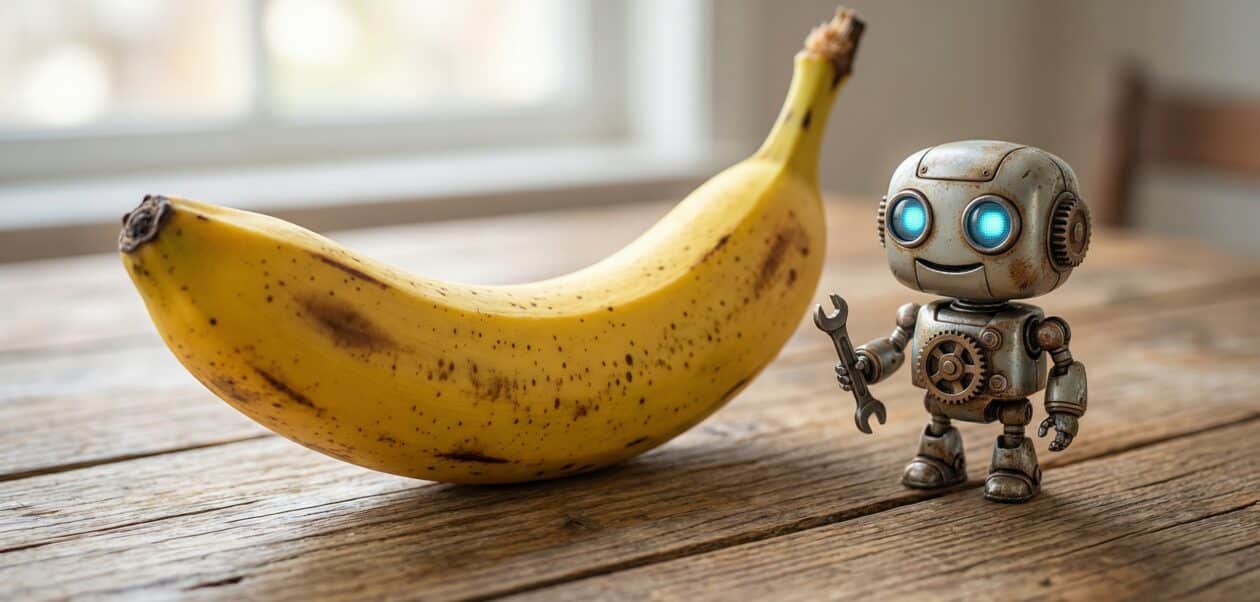
When Google introduced Google Nano Banana AI, the announcement didn’t simply grab attention — it ignited the entire tech community. What started as an internal codename has now evolved into one of Google’s most advanced tools for visual creation. Built on the power of Gemini 3 Pro, this model pushes beyond traditional image generation and sets a new benchmark for accuracy, realism, and usability.
For years, AI image generators have struggled with the same issues: distorted hands, inconsistent faces, blurry text, or an overall artificial look. Nano Banana AI approaches these weaknesses head-on, combining deep learning with Google’s real-time search intelligence to produce images that are not only beautiful but also factually accurate when needed.
So, what exactly is Google Nano Banana AI? How does it work? And is it truly worth using? Here’s a complete and polished breakdown.
What Is Google Nano Banana AI?
Google Nano Banana AI is Google’s latest AI-powered image generator designed to create high-resolution visuals from short text prompts. It builds on the earlier Nano Banana experiment but takes a massive leap forward by adopting Gemini 3 Pro. This allows the model to produce images in 2K and 4K resolution, maintain consistent faces across multiple outputs, and blend up to 14 reference images for precise creative control.
Simply put, Nano Banana AI feels like a fusion of Canva, Midjourney, and Adobe Firefly — but seamlessly integrated into Google’s ecosystem.
Why Google Nano Banana AI Matters Now
AI image generation tools aren’t new, but most of them still feel unpredictable. You can get a stunning image one moment and a distorted mess the next. What sets Nano Banana AI apart is its focus on reliability.
Google has embedded this model across many of its everyday apps — Search, Photos, Slides, Vids, and the Gemini app. This makes it useful not only for designers and content creators but also for students, professionals, teachers, and small businesses.
A major breakthrough is its ability to use real-time Google Search data. This allows the model to create visuals like:
Weather cards
Study diagrams
Scoreboards
Travel infographics
Health and nutrition charts
Trend-based social content
Other image generators simply cannot achieve this because they lack up-to-date world knowledge.
As a result, Google Nano Banana AI becomes more than a creative tool — it becomes a practical part of everyday workflows.
How It Improves on the Original Nano Banana Model
The earlier Nano Banana tool was experimental, often known for stylised portraits and dramatic visuals. The new version, however, feels far more refined and professional.
The biggest change is resolution. Instead of being restricted to small 1024px images, Nano Banana AI now produces crisp 2K and 4K visuals. This upgrade is particularly valuable for creators who need print-ready or presentation-ready images.
Another significant improvement is typography. Most AI models still struggle to generate clean text inside graphics, but Nano Banana AI produces sharp, readable, and properly positioned labels — ideal for posters, infographics, or digital marketing material.
The ability to blend up to 14 image references also opens new creative use cases, from fashion lookbooks and product shoots to brand collages and photo-realistic mockups.
Overall, Google has transformed Nano Banana AI from a fun toy into a professional-grade tool.
Nano Banana Pro combines state-of-the-art text rendering with Gemini 3’s advanced reasoning to unlock a whole new world of possibilities for your product mockups, posters, infographics and more.
— G3mini (@GeminiApp) November 20, 2025
Dive into some of our favorite use cases 🧵
The Technology Behind Nano Banana AI
At the heart of Nano Banana AI lies Gemini 3 Pro, Google’s multi-modal AI model known for its strong reasoning and image understanding. This advanced architecture allows Nano Banana AI to interpret prompts with more nuance, understand visual references with greater accuracy, and generate compositions that feel intentional rather than random.
Because it is deeply linked with Google Search’s AI Mode, it can create visuals that reflect real-world information — a feature that competing models currently lack.
For creators, educators, bloggers, and marketers, this real-time knowledge makes the tool especially powerful.
To promote responsible AI use, Google includes C2PA and SynthID watermarking. Free users receive visible marks, while paid tiers unlock higher-quality, watermark-free results.
How to Use Google Nano Banana AI
Using Nano Banana AI is incredibly simple. The model is accessible through the Gemini app and several Google services. All you need to do is describe what you want — such as:
• “A minimalist poster for a travel website”
• “A vibrant flat-lay of South Indian breakfast in 4K”
• “A futuristic skyline with neon reflections”
• “A children’s educational infographic about planets”
Within seconds, the tool generates multiple variations. You can refine the lighting, colors, camera angle, or even specific regions of the image using natural language.
In Google Photos, a set of styles allows users to transform personal photos into cinematic, vintage, or artistic edits instantly. Inside Google Slides and Vids, image generation happens natively, making presentations and videos easier to create.
Overall, the experience feels smooth, intuitive, and perfectly aligned with how people already use Google tools.
Is Google Nano Banana AI Free?
Yes — at least partially.
Every Google user gets access to Nano Banana AI with some limitations. The free tier provides high-quality generations but includes watermarks and daily usage caps.
Paid options like the AI Premium Plan unlock:
• Greater generation limits
• Faster processing
• Higher detail
• More accurate skin tones and textures
• Larger image sizes
• Watermark-free exports (available with Ultra models)
The good news is that you can explore nearly all features without needing to subscribe.
Who Should Use Google Nano Banana AI?
Nano Banana AI serves a wide range of users, including:
• Bloggers needing thumbnails, illustrations, and charts
• Marketers creating ad creatives and product photos
• Businesses making mockups or visual content
• Students preparing diagrams and school projects
• Teachers designing worksheets and visuals
• Influencers producing thumbnails and social graphics
• Photographers and models experimenting with creative concepts
• Developers testing UI ideas or visual assets
• Travel creators generating maps, layouts, and story visuals
Anyone who works with content, design, or storytelling can benefit from this tool.
Know more about: Nano Banana Pro
Does Nano Banana AI Live Up to the Hype?
Absolutely, Google Nano Banana AI stands out as one of the most refined and user-friendly image generators available in 2025. With its 4K image support, multi-image blending, accurate text rendering, and integration with Search, it feels less like an experimental AI model and more like an essential creative assistant.
Whether you’re a student, blogger, business owner, or professional creator, Nano Banana AI can dramatically speed up your workflow while producing polished, high-quality visuals every time.
Read more: How Indian Culture Can Enrich UX Design with Empathy & Soul


